How to need fewer supports
1 Supports are not free
They cost filament. They add print time. When you rip them off they scar the underside — rough faces, ruined detail on the parts people actually see.
2 "Everywhere" is the beginner default
The slicer offers it. That does not mean it is smart. Beginners hit everywhere because it is there. Floating geometry is the actual reason to support something.
3 Reorient or split first
Prusa's guides say it first: reorient the model, or split it into parts, to cut overhangs and the supports they force. Geometry that already rests on the bed often needs almost nothing.
4 A forest of supports is a model problem
If a model only prints with a forest of supports, the problem is usually orientation or how the parts are joined — not that you need more scaffolding. Floating bits need trees or grids. Bed-sitting faces do not.
FAQ
When do I actually need supports?
When geometry hangs in space. Trees or grids under floating bits. Faces that already sit on the bed often need almost nothing. Do not paint the whole model because one arm overhangs.
Why does the underside look terrible?
A surface printed on the bed is clean. A surface printed over supports is not. Ripping the interface off scars the face. Rotate so that face is on the plate.
Tree supports or grid supports?
Either can hold floating geometry. The point of this clip is not which tree preset to pick. It is to stop supporting faces that could sit on the bed.
What if it still needs a lot of supports?
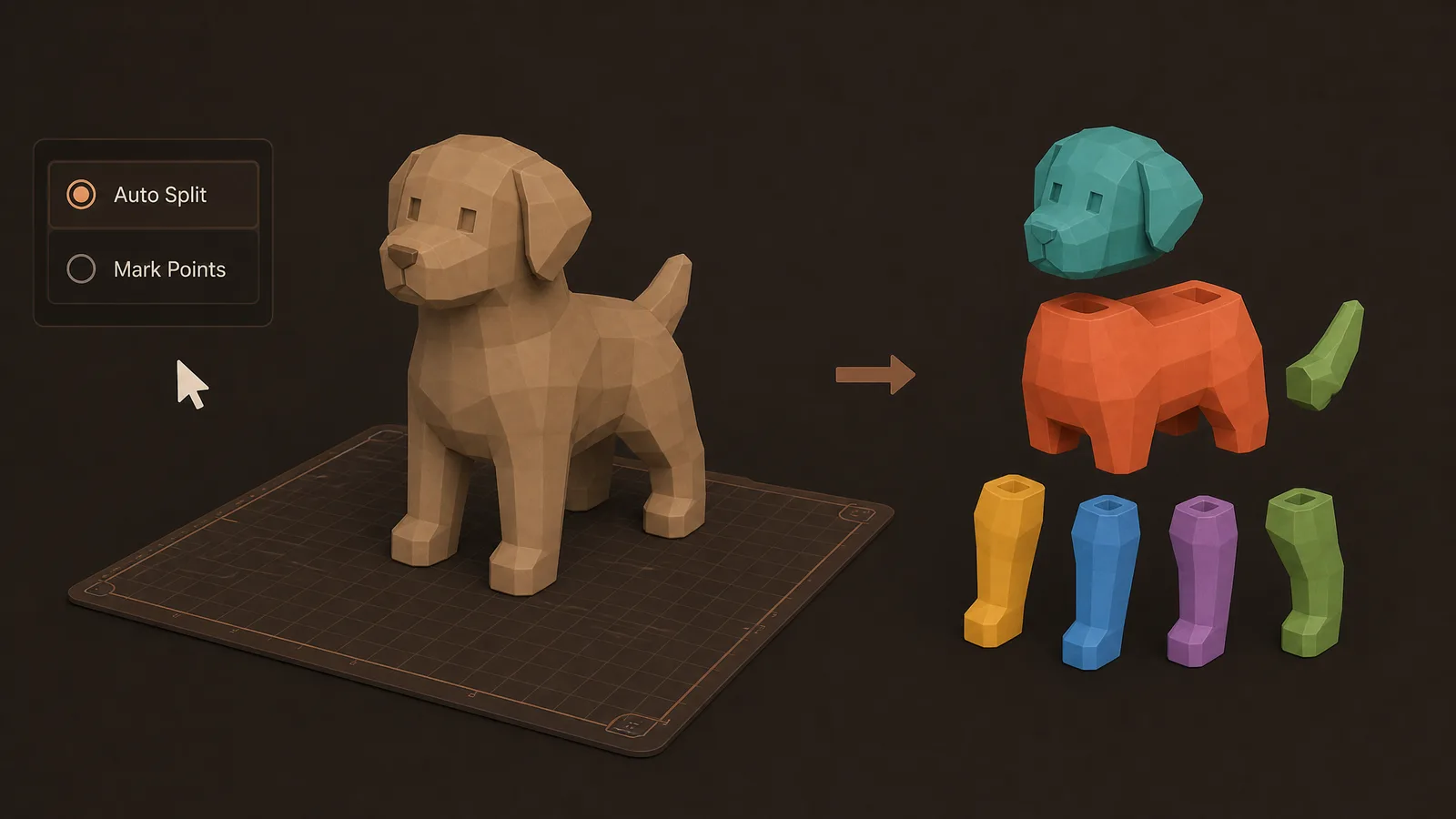
Then the download is probably one piece with bad overhangs. Split it so more faces sit flat. Obloid's AI part splitter is for that. More scaffolding is the last fix, not the first.
Full transcript
Stop painting supports on every overhang like it's free. Supports cost filament. They add print time. And when you rip them off, they scar the underside — rough faces, ruined detail on the parts people actually see. A surface printed on the bed is clean. A surface printed over supports is not. Beginners default to "everywhere" because the slicer offers it. That does not mean it's smart. Prusa's own guides say it first: reorient the model, or split it into parts, to cut overhangs and the supports they force. Floating geometry needs trees or grids underneath. Geometry that already rests on the bed often needs almost nothing. If a model only prints with a forest of supports, the problem is usually orientation or how the parts are joined — not that you need more scaffolding. When splitting helps, Obloid's AI part splitter can separate a one-piece download into plate-friendly parts so more faces sit flat and fewer hang in space. Less support. Cleaner surfaces. Less waste.
 Why holes print undersized
 If walls feel weak, don't add more infill
 The STL looked fine until you sliced it
 5 mistakes every 3D printing beginner makes
 Stop putting a brim on every print
 If it smells burnt, drop the nozzle temp