How to split a tall figure without a support tower
1 Two tiny feet grow a support tree
A tall figure stands on two tiny feet. The slicer builds a tree of supports all the way up. That is filament, time, and a scarred underside before the figure even finishes.
2 An arm snaps, or the tower leaves the bed
Then an arm snaps. Or the tower wobbles off the bed. Bambu calls tall slender prints vulnerable to wobble or being knocked off. Split them and add connectors instead of hoping the tree holds.
3 A full cut plane still supports every arm
If the figure is too tall for the bed, cutting it into parts only solves the height. Bambu’s cut plane goes through the full model. You are still printing a tower of supports under every arm.
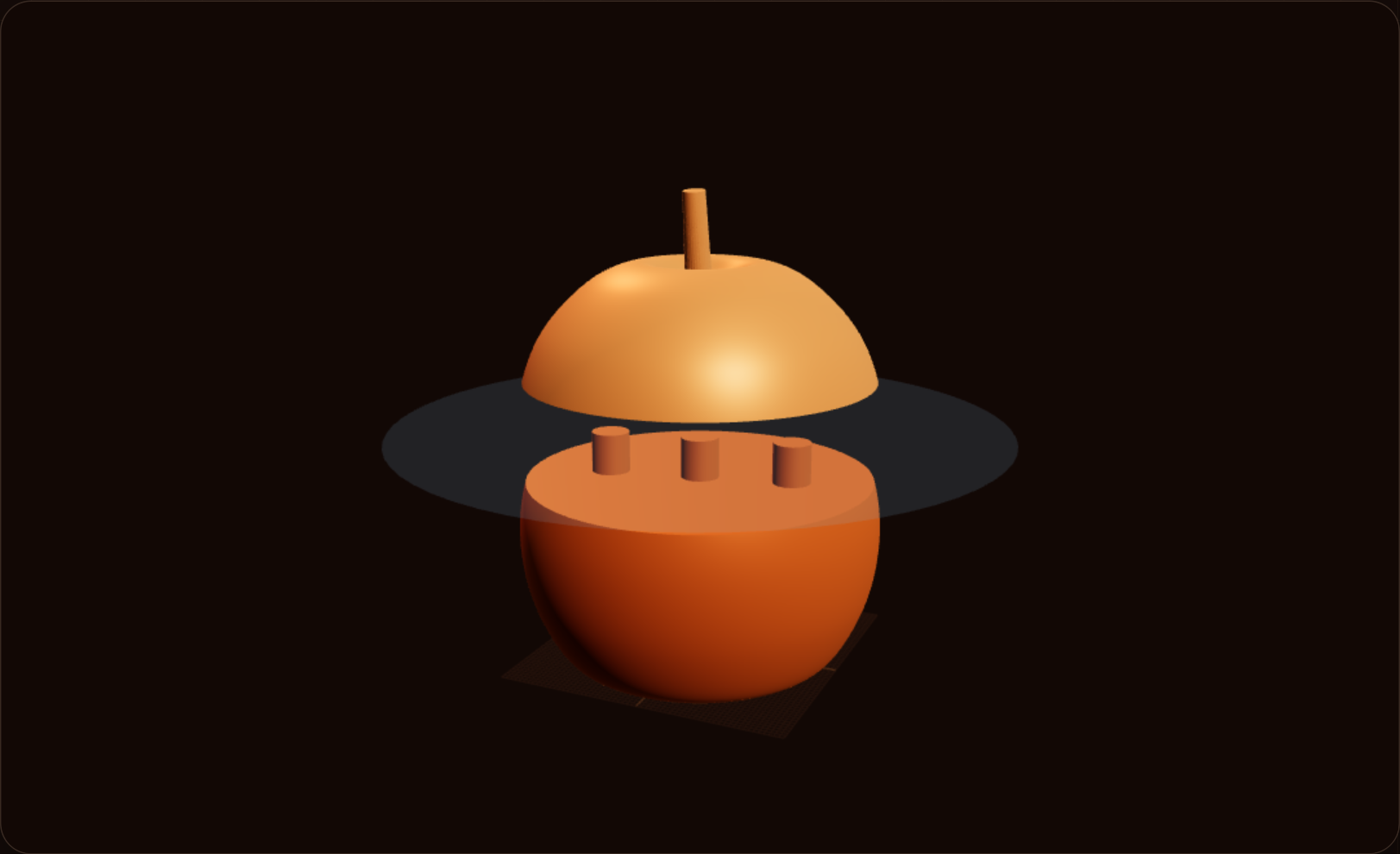
4 Draw the cut in STL Cutter
Open STL Cutter. Draw the lines over the model and cut out the parts you actually want apart — an arm, a head — instead of one plane through everything.
5 Export 3MF with a connector the slicer does not have
Export 3MF. Add a dowel, snap, tenon, or thread. Prusa’s cut tool can generate connectors and dowels too, but those four joint types are the point of doing the cut here. The slicer cut does not give you that set.
FAQ
Why does a one-piece figure fail?
It stands on two tiny feet, so the slicer builds supports all the way up. An arm snaps, or the tower wobbles off the bed. Tall slender prints are easy to knock over.
Why is the slicer cut not enough?
Bambu’s cut plane always goes through the full model. The pieces may fit the bed height, and you still print a tower of supports under every arm. You cannot pick one portion of the mesh.
What connectors can I add?
Dowel, snap, tenon, and thread. Those come with the STL Cutter 3MF export. A plain slicer cut does not offer that set.
When should I cut instead of supporting?
Prusa says cut when one piece needs a needlessly large amount of support, then generate connectors and dowels. A tall figure with floating arms is that case.
Full transcript
A tall figure stands on two tiny feet. The slicer builds a tree of supports all the way up. Then an arm snaps. Or the tower wobbles off the bed. Or you wanted a one-piece print, but it is too big for the bed, so you cut it into parts. It fits the height now, and you are still printing a tower of supports under every arm. Bambu's cut plane always goes through the full model. It cannot pick one arm or one head. Draw the lines in Obloid's free STL Cutter and cut those parts out. You get a 3MF export, plus connectors the slicer does not have: dowel, snap, tenon, and thread.
 Don't print a universal phone stand
 You don't need CAD for functional prints
 Stop printing someone else's Spider-Man
 11 useful 3D prints in 42 seconds
 How to 3D print a custom bookmark from a photo