Guides
3D printing tips from the Shorts
Each page is one clip plus the steps: what to do, what wrecks the plate, and the replacement habit.
 Tips & Tricks · Slicer Settings Why holes print undersized The screw does not drop in, and the model was not wrong. Plastic shrinks when it cools, and that shrinkage hits the hole harder than the outside. Do not scale the whole STL. Loosen the hole in the design, or open it in the slicer with XY hole compensation.
 Tips & Tricks · Slicer Settings If walls feel weak, don't add more infill Walls feel soft, so the infill slider goes up. That is the wrong first move. Prusa says strength is mostly the number of perimeters, not the infill. Add wall loops before you fill the interior solid. Everyday parts want a couple of walls and about 15% infill.
 Tips & Tricks The STL looked fine until you sliced it The viewer shows a clean silhouette. The slicer shows warnings, missing walls, and hollow spots. A mesh that looks good on screen is not a watertight solid. Repair it before you spend a spool on a file the slicer cannot trust.
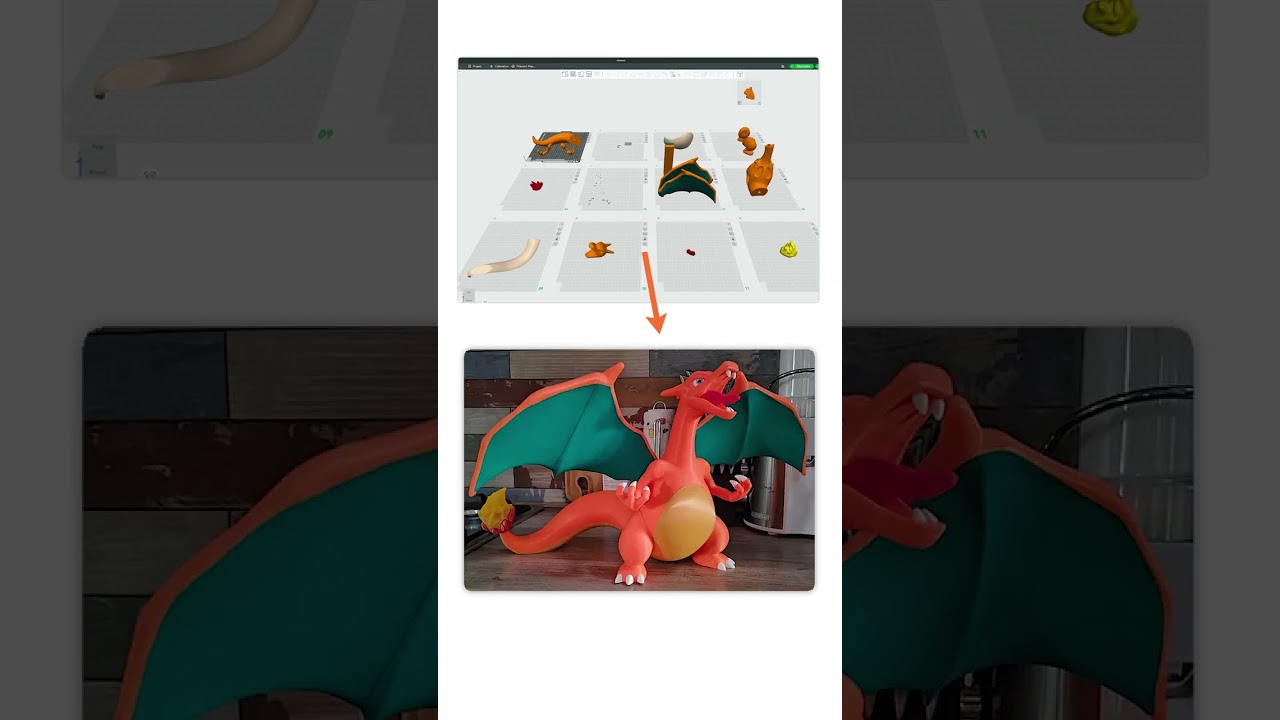 Tips & Tricks 5 mistakes every 3D printing beginner makes These five look like bad luck. They are habits. A dirty textured bed, solid infill for strength, supports on every overhang, shrinking a model to fit the bed, and blaming the slicer when the spool is wet. Fix those and the printer stops feeling random.
 Tools Don't print a universal phone stand Don't print a phone stand you found on Printables or MakerWorld. It was modeled for one phone, maybe one case, then uploaded for everyone. A camera bump, no charger gap, or a steep tilt makes it useless. Measure your phone and build the stand for that size.
 Tools Don't print a tall figure in one piece A tall figure on two tiny feet grows a tree of supports, then an arm snaps or the tower wobbles off the bed. Cutting it so it fits the bed does not fix that if the plane still runs through the whole model. Draw the parts you want apart, and give them a connector.
 Tools You don't need CAD for functional prints You do not need months of CAD software before a functional print. You need the millimeters to be right. Two parts with zero clearance will not slot. A moving fit wants about 0.3 mm of gap, and that number moves with orientation, shrink, and calibration. Change one dimension and print again.
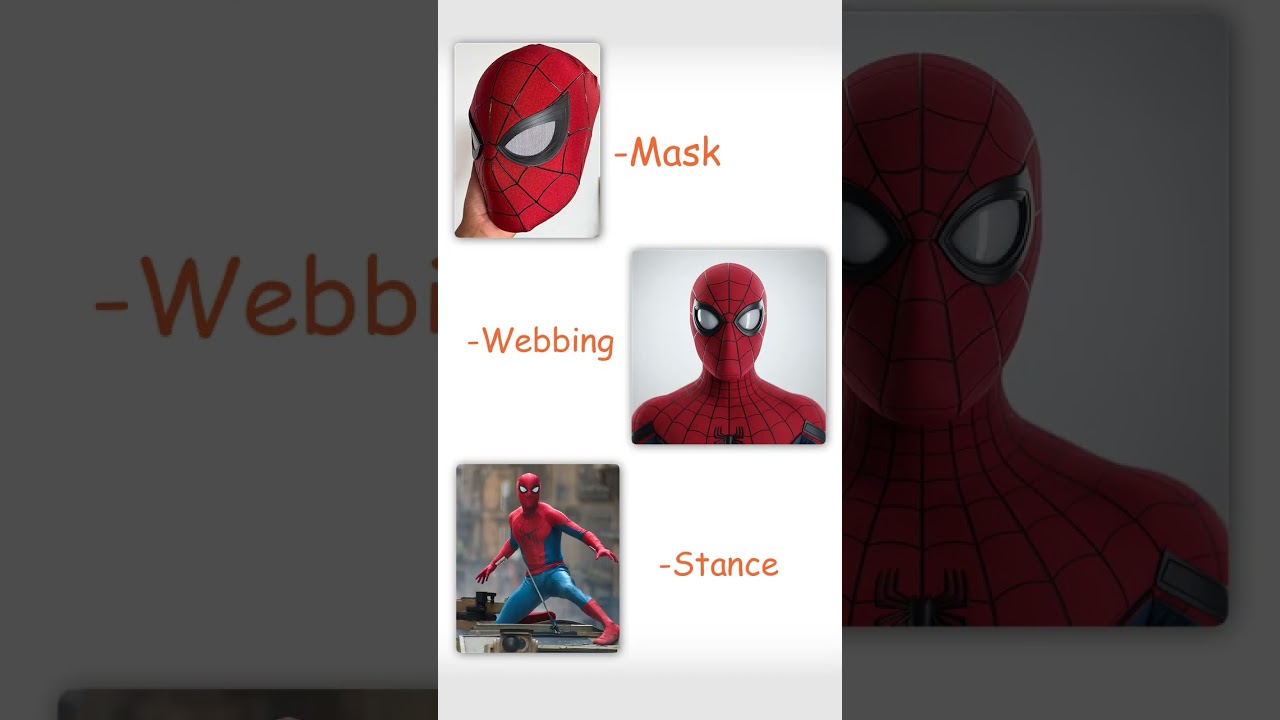 Tools · Ideas Stop printing someone else's Spider-Man Every premade Spider-Man STL is someone else's pose and someone else's suit. Grab stills of the look you want — PNG, JPEG, or WebP — and attach them as the reference. Fix the preview until the silhouette matches, then sculpt. Print Repair runs before you export, so the slicer does not get a hollow mesh.
 Tips & Tricks · Slicer Settings Stop putting a brim on every print Don't brim a part that already has a wide flat bottom. The extra ring melts onto the side, and leftover plastic stays stuck when you peel it. Brim a tall skinny part, ABS that pulls up at the corners, or a mini on two tiny feet. A skirt primes the nozzle without touching the part.
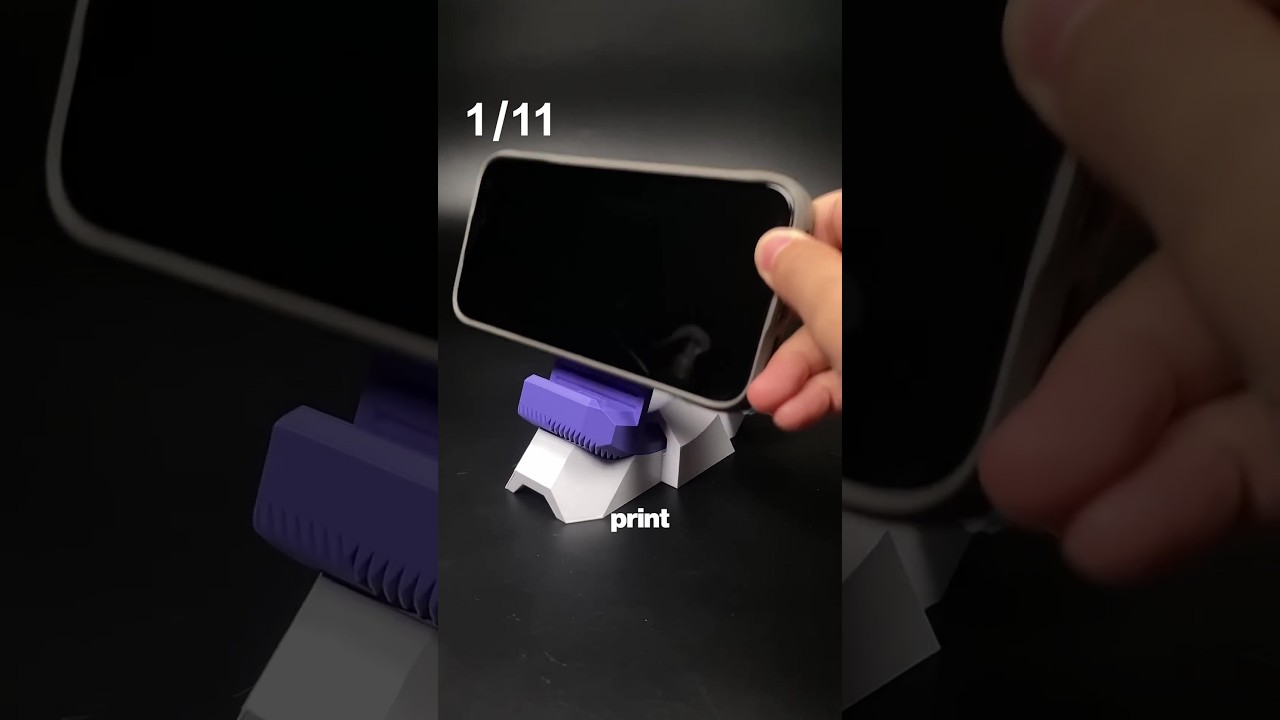 Tools · Ideas 11 useful 3D prints in 42 seconds Don't hunt a random STL for a phone stand, bag clip, or headphone cup. Those downloads are never your size. Open the 3D Model Generator, tap Parametric, prompt the part with a size, then drag a slider. Download and print. The clip shows eleven of those useful parts.
 Tips & Tricks · Slicer Settings If it smells burnt, drop the nozzle temp If the print smells like burnt sugar and the walls go shiny and stringy, that is heat, not a fine spool. Plastic is cooking in a too-hot nozzle. Drop Silent-mode PLA from 220 to 210. If it still pops, dry the filament. If it smells like burning electronics, stop the printer.
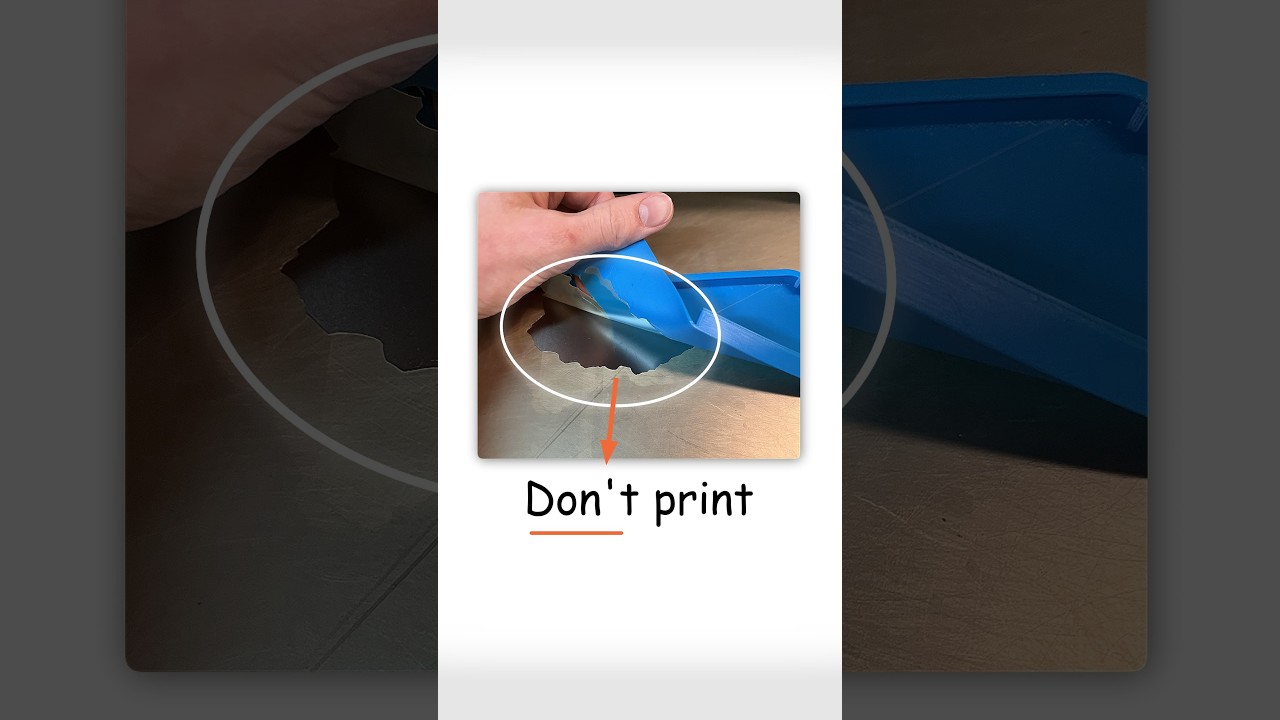 Tips & Tricks Don't print PETG on smooth PEI Don't print PETG on shiny smooth PEI for a premium bottom. It finishes. It will not come off. You flex. You pry. The PEI sheet peels up with the part. You glued plastic to your plate. Everyday PETG belongs on textured PEI. If smooth is all you've got, glue stick first as a release layer.
 Tools How to 3D print a custom bookmark from a photo You want a bookmark of a photo. A download STL can't be your kid, your dog, or that trip. Open Photo Bookmark, drop the image, crop tight, pick 1 to 4 filament colors, add a tassel hole if you want. Export 3MF. Each band is one filament. Thin enough for a book. You can feel the photo on the surface.
 Tips & Tricks Your outdoor print will die from the heat Don't hang a PLA planter on a sunny wall because it looked perfect on the desk. A week of afternoon heat and it droops like a sad taco. Sun is a heater. Dark plastic on a balcony gets far hotter than the air. PETG can live in the shade. Full sun wants ASA.
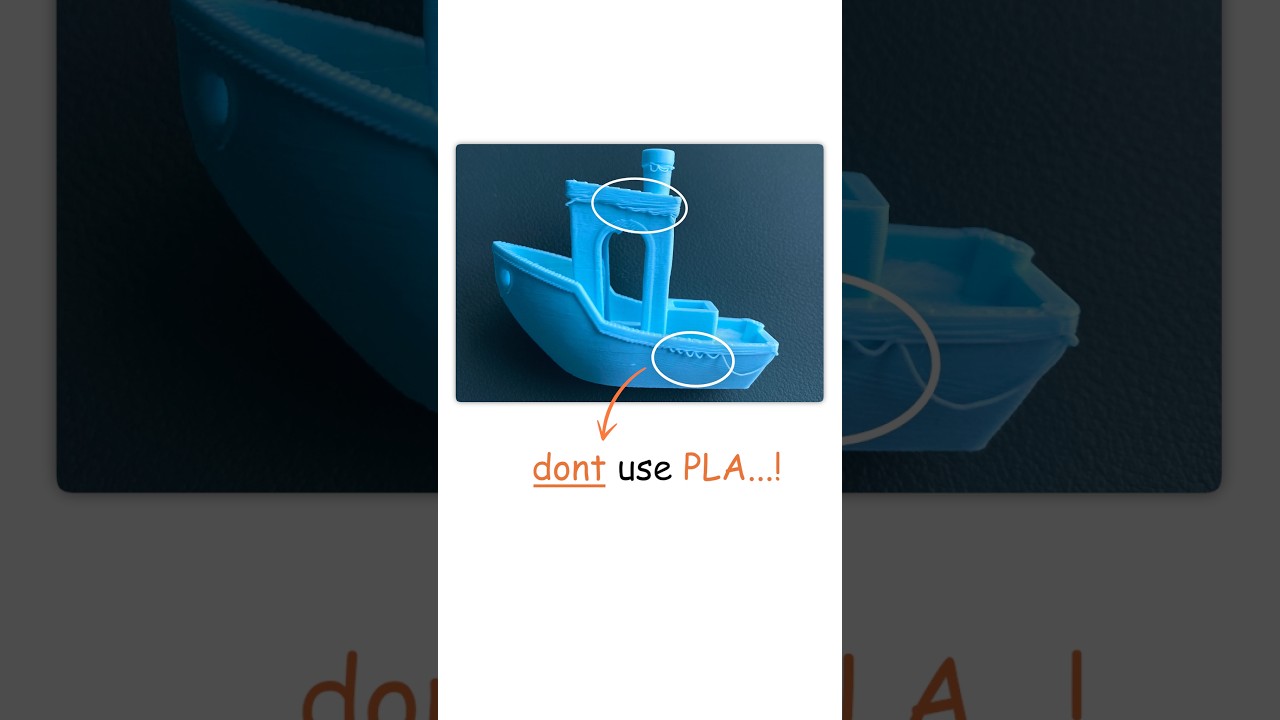 Tips & Tricks Don't use PLA for useful prints Don't print a soap dish in PLA because the color looked good. Warm water or a sunny window will sag the walls. PLA is for models and prototypes. Prusa says it is not for technical use. Bambu skips it around 50 C. Use PETG for holders, clamps, and waterproof parts. Still not a food plate.
 Tips & Tricks · Slicer Settings Wrong build plate selected = instant fail Don't pick the wrong PEI plate in the slicer and hope the printer figures it out. Textured PEI is the powder-coated stock plate — strong grip without glue, textured bottom. Smooth PEI is the flat one. Only PLA skips glue on Smooth; other filaments can tear the sheet. Wrong plate means wrong heat and wrong adhesion.
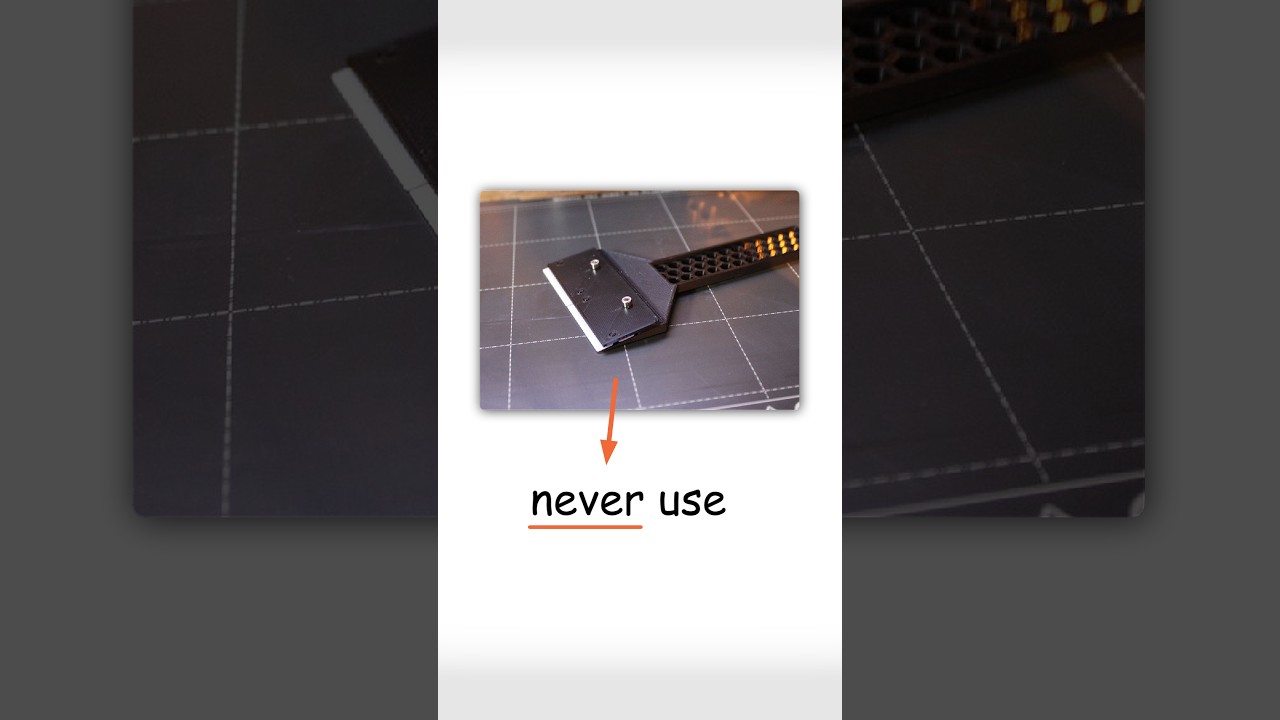 Tips & Tricks Stop using a metal scraper on your PEI plate Don't scrape a hot PEI plate with a metal putty knife. That coating is thin. One gouge and the next first layer copies the scratch. Cool the sheet, pull it, bend it. Print a plastic scraper for leftovers. Prusa and Bambu both put cool-and-flex first.
 Tips & Tricks Why your prints won't stick (it's your dirty bed) Don't wipe a peeling print with IPA and call the bed clean. On textured PEI, alcohol can spread oils into the grooves. Wash it in the sink: warm water, plain dish soap, scrub, rinse, dry, edges only. Water should sheet, not bead.
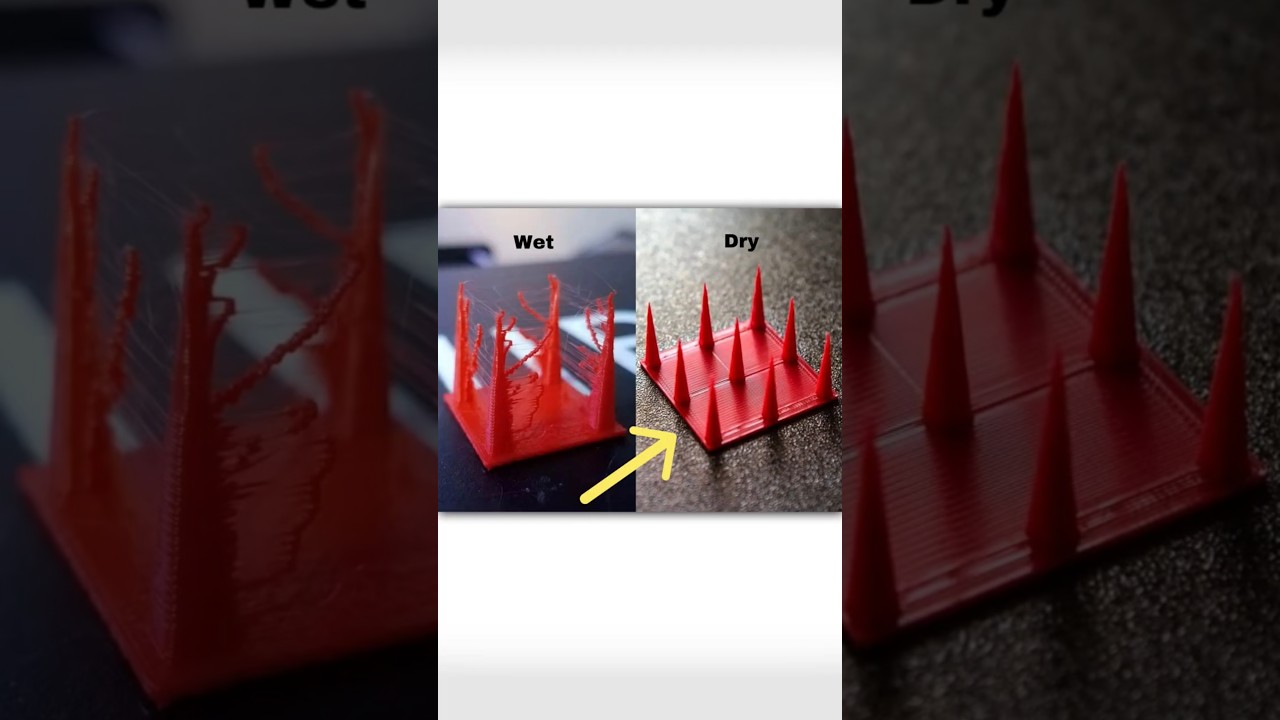 Tips & Tricks Wet filament is ruining your prints (and you can't see it) Don't crank retraction first. The spool can look fine and still be wet. Moisture turns to steam in the nozzle, then you get stringing, holes, and rough surfaces. Dry the filament at the right temp for the material. Store it sealed. Open air can soak it again in a few hours.
 Tips & Tricks · Slicer Settings Stop putting supports everywhere Don't paint supports on every overhang like they are free. They cost filament, add time, and scar the faces people see. A surface on the bed is clean. A surface over supports is not. Reorient the model, or split it, before you hit everywhere.